Salesforce for Hospitality: How Connected Guest Journeys Win in 2026
 Target Everest |
 In hospitality, the guest journey no longer starts at check-in and ends at check-out. It begins with a search or a social post, moves through booking engines and OTAs, and continues across emails, WhatsApp, apps, front-desk conversations and online reviews.
At the same time, hotels and tourism brands face tighter margins, staffing challenges and guests who expect both high-touch service and frictionless digital. Recent hospitality reports highlight the same forces shaping 2025-2026: AI-powered personalisation, contactless journeys, sustainability and wellness-driven stays.
This is where Salesforce for hospitality stops being “just a CRM” and becomes the platform for orchestrating the full guest journey. Salesforce itself describes its hospitality CRM as a way to unify data, connect teams and leverage AI to transform guest experiences.
1. Beyond bookings: why hospitality needs a connected CRM
Most hospitality businesses already run a PMS, a booking engine and several point solutions. The real problem is what sits between them:
- Marketing does not see full stay and spend history.
- Sales works in spreadsheets for groups and corporate.
- Operations only see guest sentiment when a complaint escalates.
Specialist partners working with Salesforce in hospitality consistently point to the same issues: fragmented systems, duplicated data and manual work across sales, reservations and guest relations.
A hospitality CRM does not replace PMS or revenue management. It sits above them as a guest-centric layer:
- One place to see bookings, preferences, loyalty, enquiries and cases.
- One set of processes for sales, marketing, operations and service.
- One platform where automation and AI can safely act on trusted data.
2. How Salesforce transforms the guest journey
Personalised marketing and direct bookings
With Salesforce Marketing Cloud, hospitality brands move from generic blasts to journeys grounded in real data:
- Segment guests by purpose of travel, value, channel preference and stay patterns.
- Trigger pre-stay flows with dynamic content for business, family, leisure or event stays.
- Offer targeted upsells (late check-out, spa, experiences) based on what guests actually used last time.
- Run win-back journeys when high-value guests go quiet.
Because these journeys sit on top of unified profiles in Salesforce and Data 360, they can respond to real-time events such as cancellations, new reviews or loyalty status changes.
Service and feedback on one platform
With Service Cloud, every email, form submission or social message becomes a case with an owner and SLA. Features like email-to-case and AI-assisted replies reduce response times and standardise quality, even with lean teams.
Self-service is handled through Experience Cloud:
- Guests can manage bookings, preferences and requests online.
- Loyalty members can see their benefits, vouchers and history.
- Invoices and documents are accessible without contacting the front desk.
Feedback and complaints no longer disappear into inboxes. They feed into CRM Analytics dashboards where patterns in satisfaction, NPS and issues become visible by property, segment or channel.
Automation and smarter operations
Behind the scenes, Salesforce helps hospitality teams take repetitive work off the table:
- Group and corporate sales: lead capture, proposals, approvals and follow-ups can run through guided processes rather than ad hoc email chains.
- Einstein Activity Capture reduces manual data entry by logging emails and meetings against the right guests or accounts.
- Flows and alerts notify teams about VIP arrivals, high-value cancellations or at-risk corporate accounts in time to act.
Specialist hospitality consultancies working with Salesforce report better pipeline visibility, faster response times and higher upsell revenue once these processes move into CRM.
Agentforce: a 24/7 digital concierge
On top of this, Agentforce can act as a 24/7 digital concierge with a 360-degree view of each guest. Grounded in centralised Customer 360 and Data 360 data, it understands the guest’s profile, preferences and history, and can tailor conversations, recommendations and actions in real time across channels.
3. Sustainability, AI and data-driven decisions
Sustainability has moved from “nice story” to a core decision factor for many guests and investors. Hospitality trend reports for 2025-2026 highlight eco-friendly travel, reduced food waste and smart resource management as key themes.
Salesforce can support this in practical ways:
- Track energy, water and waste metrics alongside revenue and occupancy in CRM Analytics.
- Use guest data to design campaigns around low-impact stays, local partnerships or “green” packages.
- Integrate with AI-driven tools that monitor food waste or resource usage and surface insights directly in Salesforce dashboards.
When sustainability lives in the same data model as guest and commercial metrics, it becomes part of everyday decision-making rather than a separate report.
4. How Target Everest supports hospitality teams
At Target Everest, we work with hospitality and tourism clients who want Salesforce to act as a true guest-journey and operations platform, not just a contact database. Our hospitality work has included end-to-end Salesforce implementations for hotel groups, from sales and reservations to document generation and reporting.
Across these projects, our role is to:
- Map the guest lifecycle and decide which touchpoints should live in Salesforce.
- Integrate PMS, booking engines, channel managers and finance so teams share a single source of truth.
- Configure Sales, Service, Marketing and Experience Cloud to fit real operations, not just ideal diagrams.
- Introduce automation and AI with clear governance, so teams feel supported, not replaced.
The outcome we aim for is simple:
- Guests experience coherent, personalised journeys.
- Teams gain clarity and time, rather than another tool to manage.
- Leadership sees data they can trust to make commercial and sustainability decisions.
If you operate in hospitality and want to explore what Salesforce for hospitality could look like in your world, from group sales and reservations to guest experience and sustainability, this is the right moment to move from scattered tools to a connected, data-driven guest journey.
From CRM to Agentic Enterprise: Preparing Your Salesforce Strategy for 2026
 Target Everest |
 Salesforce is entering a new chapter in 2026.
Over this year, three movements will reshape how teams work on the platform:
- The rise of the Agentic Enterprise, led by Agentforce 360.
- Data 360 as the strategic data layer for AI and agents, evolving from Data Cloud.
- Slack positioned as an agentic OS, the workspace where people, data and AI agents meet.
In parallel, the EU AI Act moves from theory to enforcement, with high-risk AI systems expected to be compliant by 2 August 2026.
For many organisations, this mix of opportunity and regulation feels exciting and slightly uncomfortable. The goal of this article is simple: show what is really changing, where Agentforce fits in your business, and how to move forward with structure.
1. What is really changing in 2026?
Salesforce’s message is clear: AI does not replace people. It elevates them, through agents that understand goals, call the right tools and act across systems.
Three pillars support this vision:
- Agentforce & Agentforce 360
The platform to design, deploy and monitor AI agents across Sales, Service, Marketing and custom apps, all grounded in Salesforce data and security.
- Data 360 as the foundation
Salesforce has formally rebranded Data Cloud to Data 360, emphasising a unified, AI-ready view of customers across channels and systems.
- Slack as the agentic workspace
Slack is being reframed as your “agentic OS”: a place where channel-based experts, a rebuilt Slackbot and Enterprise Search connect conversations, data and agents.
On the regulatory side, guidance from the European Parliament and analysis from organisations such as Trilateral Research confirm a phased EU AI Act timeline: prohibited practices from 2025, rules for general-purpose AI in 2025, and full obligations for high-risk systems from August 2026.
Put together, 2026 is not “just another release”. It is a shift from static processes to human + agent collaboration, under clearer expectations of transparency, risk management and human oversight.
2. Why many Salesforce teams feel unprepared
Across Salesforce, IT and business leaders, the same patterns keep appearing:
- Fragmented data
Information is spread across multiple orgs, legacy tools and spreadsheets. Agents cannot make good decisions without a complete, consistent view.
- Brittle processes
Years of urgent requirements have produced flows, triggers and workarounds that nobody fully owns. Letting agents act on top of this feels risky.
- AI as a side project
There are pilots in sales or service, but no shared architecture or risk model. Wins are hard to scale; failures are hard to learn from.
- Regulation that feels abstract
The EU AI Act is on the radar, but it is not yet mapped to concrete use cases in Salesforce, Slack or Agentforce.
The result: impressive demos, but a daily reality still dominated by manual work and exports.
3. Where Agentforce fits in your business
To make this tangible, it helps to look at practical Agentforce scenarios – some internal, some customer-facing.
3.1 Agentforce for internal teams
Sales – Opportunity Assistant (Sales Cloud)
- Reviews open opportunities (stage, history, activities, emails).
- Flags risks such as stalled deals or missing decision-makers.
- Suggests next best actions directly in the opportunity or via Slack.
Example:
“This opportunity has been in Proposal for 14 days without a reply. Suggest following up with decision-maker X and attaching document Y.”
Value: fewer forgotten deals, better forecasts, higher win rates.
Finance – Contract Validation (Sales + Service + Data 360)
- Reads contracts in PDFs, attachments and email chains.
- Checks terms, penalties and amounts against your standards.
- Alerts finance or legal when something is outside the norm.
Example:
“Contract with customer ABC has a 36-month term instead of the standard 24. Requires validation.”
Value: reduced contractual risk, less manual review, stronger compliance.
Support – Case Triage (Service Cloud)
- Analyses case descriptions, emails and customer history.
- Classifies type, urgency and impact.
- Routes to the right team or proposes an initial response.
Value: faster response times, fewer reassignments, better agent experience.
3.2 Agentforce for customer experience
Omnichannel Service (Service Cloud + Chat/WhatsApp)
- Handles conversations on chat, WhatsApp or web.
- Uses full customer history to personalise answers.
- Resolves simple requests or hands off to humans with full context.
Value: quicker answers, less friction, consistent experience across channels.
Real-Time Marketing Personalisation (Marketing Cloud + Data 360)
- Reads behaviour (opens, clicks, browsing, purchases).
- Chooses the best message, channel and timing.
- Adjusts journeys in real time.
Example:
Customer ignores several emails → the agent pauses email and recommends WhatsApp or a call.
Value: less noise, more relevance, better conversion.
Behind all this, Agentforce respects Salesforce permissions; actions are logged; and humans stay in control where it matters – a natural fit with EU AI Act principles such as human-in-the-loop and traceability.
4. A practical Salesforce roadmap for 2026
You do not need a perfect architecture to start. You do need a clear sequence:
- Map AI use cases to risk, not just to features
Catalogue where you use or plan to use AI and agents. Classify each use case by business impact and EU AI Act risk tier, especially anything that affects access to services, credit, employment or public decisions.
- Build a focused Data 360 core
Start with the journeys that matter most (for example, lead → opportunity → contract → onboarding → support). Bring those objects and events into Data 360 and align access, masking and retention with your existing Salesforce governance.
- Design agentic workflows with guardrails
Give each agent a clear “job description”: what it can do, which tools it may call, when it must hand off and how its actions are logged.
- Prepare people for Slack as the AI hub
Standardise channel usage, train teams to work with Slack AI features, and involve legal and security early so Slack policies reflect how people actually collaborate.
If you are looking at 2026 and wondering how to move from “CRM with AI features” to a genuine agentic enterprise, this is the moment to set the foundations – with clarity, discipline and a bit of ambition. Let’s talk!
Life Sciences at Crossroads: Navigating the Veeva–Salesforce Split
 Target Everest |
 For years, Veeva CRM has been the go-to solution for life sciences companies that wanted an industry-tailored CRM system. Now, with the Salesforce vs Veeva in Life Sciences landscape evolving, organizations are facing an important crossroads for their future strategy.
That landscape is now changing. Earlier announcements confirmed that Veeva will gradually move away from the Salesforce ecosystem and transition its CRM offering to a new platform: Veeva Vault CRM. At the same time, Salesforce is introducing its own Life Sciences Cloud, designed to support pharmaceutical and biotech organizations natively within the Salesforce environment.
This shift marks a turning point for the industry. Companies that have long relied on Veeva CRM will soon need to evaluate how their CRM and content strategies should evolve.
Why this matters now
At first glance, the timeline might seem generous. Current Veeva CRM deployments will remain supported until 2030. However, Veeva has made clear that its strategic innovation focus will shift toward Vault CRM. That means while customers can continue using Veeva CRM on Salesforce, the most advanced developments and new features will primarily appear in the Vault ecosystem.
For life sciences organizations, this is less about a distant deadline and more about starting preparations today. Migrating complex data models, ensuring regulatory compliance, and retraining users are not overnight projects. The companies that begin planning early will be the ones that transition smoothly. In the context of the Salesforce vs Veeva in Life Sciences transformation, those preparations are becoming even more critical.
Navigating the Salesforce vs Veeva in Life Sciences Split
As the split unfolds, Salesforce vs Veeva in Life Sciences is no longer a simple “either–or” decision. In practice, there are three main approaches:
1. Stay with Salesforce – and move to Life Sciences Cloud
Salesforce is extending its industry solutions with the new Life Sciences Cloud, which connects seamlessly to the wider Salesforce ecosystem. For companies already using Salesforce Marketing Cloud, Service Cloud, or Data Cloud, this provides continuity and the ability to harness AI innovations such as Agentforce.
The advantage is clear: staying within Salesforce means staying part of a vast, integrated ecosystem—one that continues to invest heavily in innovation and compliance capabilities.
2. Transition fully to Veeva Vault CRM
Veeva, on the other hand, is moving CRM into its own Vault platform. This brings CRM closer to Veeva’s existing strengths in content, clinical, and regulatory solutions. For organizations deeply invested in the Veeva ecosystem, this might feel like a natural extension.
3. Hybrid approach
Some organizations may also choose a hybrid model: keeping Salesforce as their CRM system, while leveraging Veeva Vault specifically for healthcare or clinical content management. This approach allows companies to benefit from both platforms, though it comes with additional integration and governance considerations.
A decision point for life sciences companies
There is no single right answer for every organization. Each path has its benefits and challenges, and the right decision depends on:
- Existing ecosystem: How deeply is your company tied into Salesforce today?
- Future needs: Will advanced AI, data unification, and omnichannel engagement be central to your strategy?
- Compliance and regulation: Which platform best aligns with your validation and audit requirements?
- Cost and resources: What will migration mean for your teams, budgets, and timelines?
What is certain is that doing nothing is not a strategy. Waiting until 2029 to evaluate options would put enormous pressure on budgets, teams, and compliance timelines. For companies affected by the Salesforce vs Veeva in Life Sciences shift, acting early will define long-term success.
Salesforce Life Sciences Cloud: the future-ready choice
- Integrations: Native connection with Salesforce Marketing Cloud, Service Cloud, and Data Cloud ensures a unified ecosystem.
- AI, Machine Learning & Agentforce: Salesforce is continuously embedding generative AI and machine learning into the Life Sciences Cloud. This not only supports sales and customer engagement but also enables predictive insights, personalized recommendations, and smarter resource planning.
- Scalability: The platform grows with your business, adapting to new products, markets, and customer needs.
- Security & Compliance: Built-in trust and compliance features safeguard sensitive health and patient data.
- Ecosystem advantage: A broad partner network, AppExchange solutions, and a global developer community that no single vendor can match.
How to approach the transition
The most important step companies can take right now is to start the conversation internally. Identify stakeholders across commercial, regulatory, and IT. Map out your current integrations. Assess how critical Salesforce-native AI or Veeva’s content-driven approach will be for the future.
From there, engaging with partners who understand both platforms—and who can provide objective guidance—becomes essential. The decision you make will shape not just technology, but also customer engagement, compliance posture, and long-term agility.
Moving forward
The Veeva–Salesforce split represents more than a technical change; it’s a moment of reflection for life sciences organizations. The question is not just “Which system should we use?” but rather “How do we want to engage with customers, manage data, and stay compliant over the next decade?”
At Target Everest, we see this transition as an opportunity. As a Salesforce partner, we help organizations explore what the Life Sciences Cloud can offer, build migration strategies, and ensure that the shift strengthens—not disrupts—business. Our role is not just to implement software, but to guide companies through change with clarity and confidence.
Final thought
Every transformation comes with challenges, but also with the chance to reimagine how things are done. The life sciences sector is now standing at crossroads. Whether your organization chooses Salesforce, Veeva Vault, or a hybrid path, the key is to start preparing today.
And if you’re wondering how to take the first step, know that you don’t have to navigate it alone.
Disclaimer:
This article reflects the current state of the Salesforce and Veeva roadmaps as of October 2025. Organizations should always verify the latest updates and evaluate their own CRM strategy based on the most recent information available.
Explore more articles on our blog!
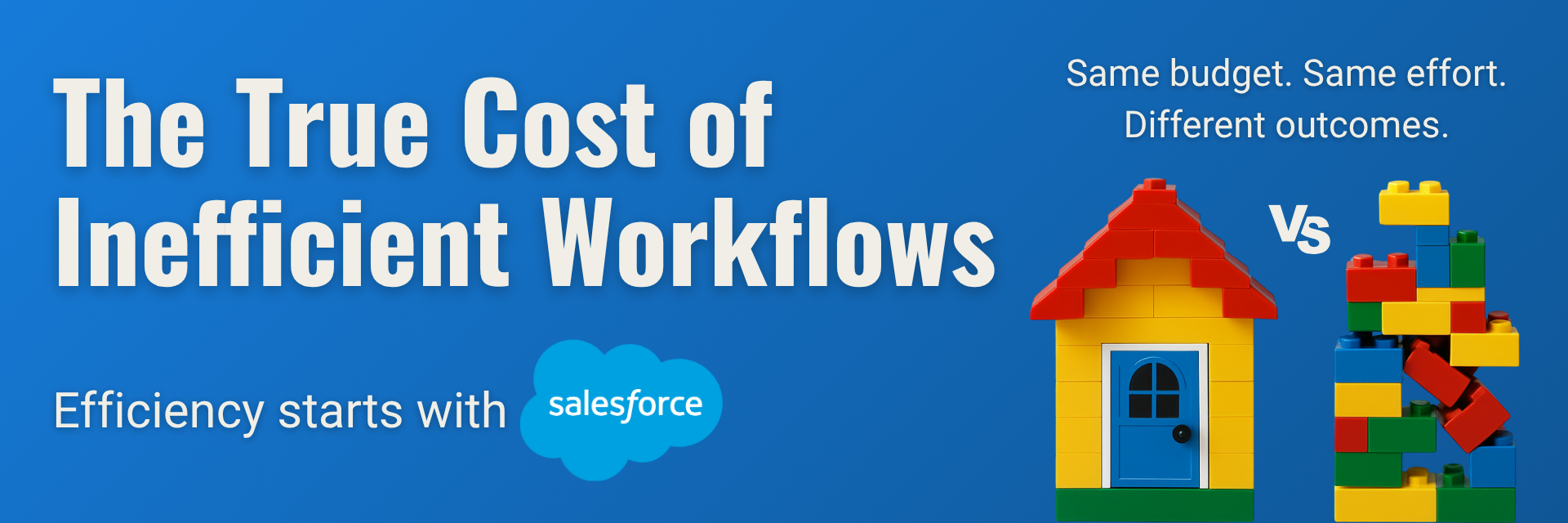
The True Cost of Inefficient Workflows
 Target Everest |
 What is the true cost of inefficient workflows?
Everyone talks about productivity. But few businesses ask what inefficient workflows are really costing them.
Inefficient workflows are one of the most overlooked costs in business operations. They don’t just slow teams down — they drain resources, delay decisions, and create friction across departments. In this blog, we explore what inefficient workflows really cost your business and how better systems can drive smarter, more scalable results.
From delayed approvals to lost leads, inefficient workflows can quietly drain time, money, and morale — without making much noise. The impact might not always be visible in a single report, but over weeks and months, the costs add up. And when they do, growth slows.
Let’s take a closer look at the hidden price of broken processes — and how automation can turn things around.
1. Wasted time: The most expensive cost you can’t see
Your team is smart and capable — but how much of their time is spent on repetitive, low-value tasks?
Whether it’s manually moving data between systems, tracking status updates across email threads, or recreating the same documents from scratch, time spent on busywork is time not spent on strategic priorities. Multiply this by your entire team, and it adds up quickly.
⏱️ A study by Salesforce found that employees spend 30% of their time on non-essential tasks that could be automated.
2. Slow responses = missed opportunities
Imagine this: A high-intent lead comes in, but your sales team only follows up two days later — because the lead wasn’t routed properly or got buried in someone’s inbox. The result? Opportunity lost.
In customer service, slow case routing or resolution can damage trust. In marketing, delays in campaign approvals can throw off entire timelines.
Speed matters. And inefficient workflows slow you down exactly when you need to act fast.
3. Errors and rework: When broken processes break everything else
Manual processes often lead to human error. Think of incorrect data entries, forgotten steps, or outdated versions of a document being sent to a client.
Every error means more time spent fixing mistakes, clarifying information, or redoing work — which impacts not just efficiency, but also customer satisfaction and brand reputation.
4. Team frustration and burnout
Few things are more demotivating than working in a system that feels broken.
When employees have to constantly chase information, navigate clunky tools, or repeat the same steps without understanding why, frustration builds. Over time, that leads to disengagement — and even attrition.
Efficient workflows aren’t just about performance. They’re also about making your team’s work feel meaningful and manageable.
5. Inefficient workflows = Lack of visibility and control
When processes live in spreadsheets, inboxes, or people’s heads, it’s hard for leaders to see what’s really happening. That makes it difficult to spot bottlenecks, measure performance, or optimize workflows.
Automation introduces structure and transparency. With Salesforce, for example, every step of a process can be tracked, measured, and refined over time — giving you better control over your operations.
From friction to flow: The case for automation
The good news? These challenges are solvable.
By mapping out your business processes and identifying points of friction, you can start to design smarter workflows that are:
- Automated (no more manual status updates),
- Standardized (everyone follows the same steps),
- Trackable (real-time visibility into what’s happening).
Salesforce Flow, for instance, allows you to create intuitive, no-code automation that eliminates repetitive tasks, reduces errors, and accelerates work across teams.
Real efficiency = time + clarity + focus
Efficiency isn’t just about doing more in less time. It’s about creating space for what matters: building relationships, making strategic decisions, and delivering value to your customers.
Every minute saved through automation is a minute gained for higher-value work.
Is it time to rethink your workflows?
If your team is drowning in manual tasks, moving slowly, or working with unclear processes — it’s costing you more than you think.
Businesses often underestimate the true cost of inefficient workflows — but recognizing and addressing them is the first step toward sustainable growth.
At Target Everest, we help businesses analyze, design, and automate their Salesforce workflows to unlock speed, structure, and growth. Let us help you turn friction into flow.
Explore more articles on our blog!
Do you want to hear more?
Our team of experts specializes in Salesforce and is dedicated to providing top-notch services to help your business succeed. If you're looking for Salesforce® solutions or have any questions, please feel free to reach out to us. We'd love to hear from you.
Contact us